When most people think about SEO, they focus on keywords, backlinks, or writing more blog posts. While those are all important, there’s another strategy that’s often overlooked but can make a significant difference:
Internal linking.
If you’ve ever wondered How Internal Linking Helps SEO, you’re not alone. Internal links help search engines understand your website while making it easier for visitors to find relevant content.
The best part? It’s one of the few SEO improvements you have complete control over.
Unlike backlinks, which rely on other websites linking to your content, internal links are connections you create between pages on your own website. When used strategically, they can improve navigation, strengthen your content strategy, and help Google better understand the relationships between your pages.
In this guide, you’ll learn How Internal Linking Helps SEO, why it matters, and how to build an internal linking strategy that supports long-term growth.
What Is Internal Linking?
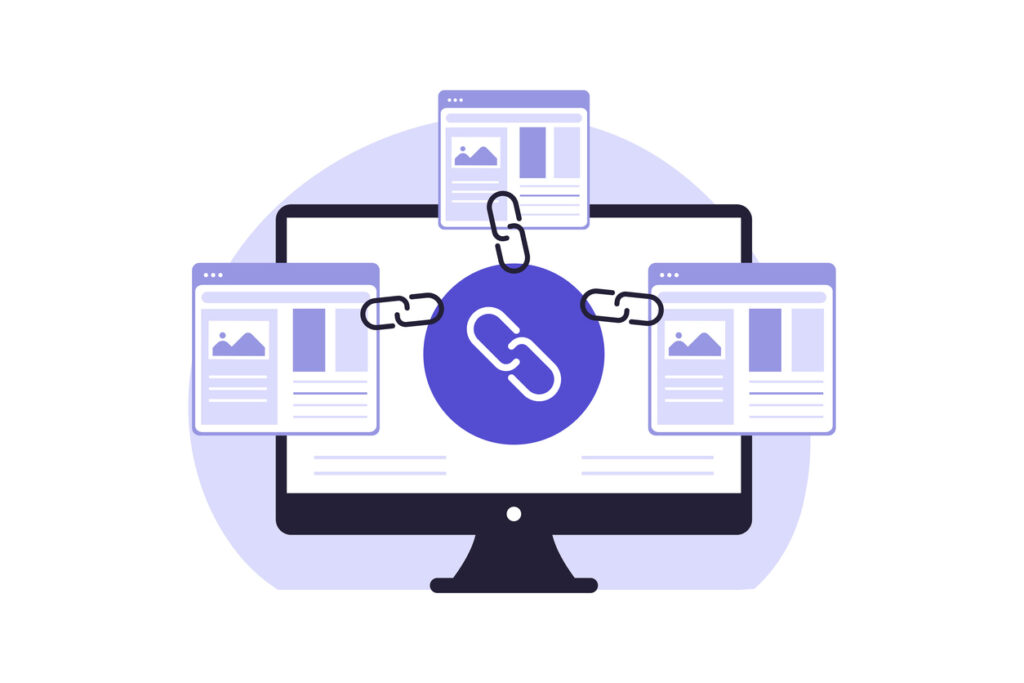
An internal link is a hyperlink that connects one page on your website to another page on the same website.
For example, if you’re reading a blog post about keyword research and it links to another article about search intent, that’s an internal link.
You’ll find internal links throughout most websites because they help readers discover additional information while creating a logical structure for search engines to follow.
Some common examples include linking from:
- One blog post to another
- A blog post to a service page
- A service page to a related resource
- A homepage to key landing pages
- A guide to supporting articles
Every internal link helps connect your website into one organized network of information.
How Internal Linking Helps SEO
So, How Internal Linking Helps SEO?
Internal links help search engines discover your pages, understand how your content is connected, and identify which pages are most important on your website.
Instead of viewing each page as a separate piece of content, Google sees a network of related information that supports a larger topic.
For example, if you have several articles about SEO, internal links help Google understand that those pages belong together and demonstrate your expertise.
The stronger those connections are, the easier it becomes for search engines to understand your website.
Internal Links Help Google Discover Your Content
Before Google can rank a page, it has to find it.
Internal links act like pathways that guide Google’s crawlers from one page to another.
If an important page has very few internal links pointing to it, Google may take longer to discover or revisit it.
On the other hand, pages that are well connected are generally easier for search engines to crawl and understand.
That’s why every important page on your website should have multiple internal links leading to it from relevant content.
Internal Links Improve the User Experience
Internal linking isn’t just for search engines.
It’s also one of the easiest ways to help visitors find the information they’re looking for.
Imagine someone lands on your blog post about search intent.
After reading it, they may also be interested in:
- Keyword research
- Google Search Console
- How Google ranks websites
- SEO checklists
- Blogging for SEO
Instead of making them search your website, a few well-placed internal links guide them naturally to the next resource.
The longer visitors stay engaged with your content, the more opportunities you have to build trust and help them solve their problems.
Internal Linking Builds Topical Authority
Google wants to understand what your website is known for.
One of the best ways to demonstrate expertise is by creating related content and connecting it with internal links.
For example, your SEO content might include articles about:
- Search intent
- Keyword research
- Google Search Console
- Technical SEO
- Blogging
- AI search
- Website audits
When these articles link to one another naturally, they create a strong topical cluster that reinforces your expertise.
Instead of publishing isolated articles, you’re building a library of connected resources.
Not Sure If Your Website Is Properly Linked?
Internal linking is one of the easiest SEO improvements to overlook because it happens behind the scenes.
Many business owners publish blog posts, service pages, and resources without thinking about how those pages connect to one another.
That’s why I created my SEO Check-Up Checklist.
This free checklist helps you quickly review important areas of your website, including technical SEO, on-page optimization, content strategy, and opportunities like internal linking that are often missed.
It’s a simple way to identify what’s working, what needs attention, and where you can make improvements before investing more time into SEO.
Download the free SEO Check-Up Checklist and start building a stronger foundation for your website.
Internal Links Help Visitors Discover More Content
Think about the last time you visited a helpful website.
Chances are you clicked from one article to another because each page answered your next question.
That’s exactly what good internal linking should do.
Each page should naturally lead readers deeper into your website by suggesting related topics they may also find helpful.
For example, someone reading this article might also benefit from:
- What Is Search Intent?
- How Does Google Rank Websites?
- Does Blogging Help SEO?
- Google Search Console Guide
- Best Free Keyword Research Tools
Those links improve the user experience while helping search engines understand how your content fits together.
Anchor Text Matters
The words you use in a link are called anchor text.
Instead of linking generic phrases like:
- Click here
- Learn more
- Read this
describe where the link leads.
For example:
- Learn how to use Google Search Console
- Read my guide on search intent
- Download the SEO Check-Up Checklist
Descriptive anchor text provides helpful context for both readers and search engines.
Don’t Overdo It
Internal linking is helpful, but more isn’t always better.
Every link should have a purpose.
Ask yourself:
- Does this help the reader?
- Is the linked page relevant?
- Does it naturally support the topic?
If the answer is yes, it’s probably a good internal link.
Adding dozens of unnecessary links simply because you can often creates a poor reading experience.
Instead, focus on quality over quantity.
Common Internal Linking Mistakes
Once you understand How Internal Linking Helps SEO, the next step is avoiding a few common mistakes that can limit its effectiveness.
Fortunately, these issues are usually easy to fix.
Forgetting Older Content
Many business owners add links when they publish a new blog post but never go back and update older articles.
Every time you publish something new, look for opportunities to add links from existing content. This helps search engines discover your latest pages while keeping older articles fresh and useful for readers.
Creating Orphan Pages
An orphan page is a page with few or no internal links pointing to it.
If Google can’t easily find a page through your website’s navigation or internal links, it’s less likely to be crawled, indexed, or ranked.
Review your website regularly to make sure every important page is connected to other relevant content.
Using Generic Anchor Text
Anchor text should tell readers where they’re going before they click.
Instead of using phrases like:
- Click here
- Learn more
- Read this article
use descriptive anchor text such as:
- Learn how to optimize blog posts for AI
- Read my guide on search intent
- Download the SEO Check-Up Checklist
Descriptive links improve both the user experience and your SEO.
Linking Without a Purpose
Every internal link should help the reader.
Ask yourself:
- Does this page answer the reader’s next question?
- Is it closely related to the topic?
- Will this link add value?
If not, it’s probably unnecessary.
A few strategic links are much more effective than filling every paragraph with hyperlinks.
Best Practices for Internal Linking
A strong internal linking strategy doesn’t have to be complicated.
Here are a few best practices to follow.
Link to Related Content
Choose pages that naturally expand on the topic you’re discussing.
For example, an article about blogging could link to:
- Keyword research
- Search intent
- Google Search Console
- Content optimization
These connections help readers continue learning while reinforcing your website’s topical authority.
Prioritize Important Pages
Think about the pages that matter most to your business.
These might include:
- Service pages
- High-converting blog posts
- Lead magnet landing pages
- Product pages
- Contact page
Linking to these pages from relevant content helps visitors discover them while signaling their importance to search engines.
Build Topic Clusters
Rather than publishing standalone blog posts, create groups of related content around one larger topic.
For example, your SEO cluster could include articles about:
- How Does Google Rank Websites?
- What Is Search Intent?
- Does Blogging Help SEO?
- How Long Does SEO Take?
- Google Search Console
- Keyword Research
- AI Search
Connecting these articles through internal links creates a stronger content ecosystem that benefits both users and search engines.
How Often Should You Review Internal Links?
Internal linking isn’t something you do once and forget.
As your website grows, your linking opportunities grow too.
A good habit is to review your internal links every time you publish a new article.
Ask yourself:
- Which older blogs should link to this new post?
- Which service pages are relevant?
- Are there opportunities to strengthen existing topic clusters?
You should also perform a broader review once or twice a year to identify orphan pages, outdated links, and new opportunities to connect your content.
How Internal Linking Helps SEO Over Time
One of the biggest benefits of internal linking is that it compounds over time.
Every new article creates additional opportunities to strengthen your existing content.
Instead of thinking about each blog post as a separate piece of content, think of your website as a connected library.
The more thoughtfully those pages are connected, the easier it becomes for both readers and search engines to navigate your site.
That’s one of the reasons How Internal Linking Helps SEO is such an important concept to understand. Small improvements made consistently can have a meaningful impact on your website’s overall performance.
Final Thoughts
So, How Internal Linking Helps SEO isn’t really a mystery.
Internal links help search engines discover your pages, understand your content, establish topical authority, and guide visitors through your website. At the same time, they create a better experience by making it easier for readers to find related information.
The best part is that internal linking is completely within your control. You don’t need to wait for another website to link to you or invest in expensive tools. You can start improving your website today simply by connecting related pages in a thoughtful, strategic way.
As your content library grows, your internal linking strategy should grow with it. Over time, those connections create a stronger, more organized website that benefits both your audience and your SEO.
Hi, I’m Kristin
I’m passionate about helping business owners make SEO feel practical instead of overwhelming. From keyword research and content strategy to technical SEO and website audits, I focus on helping you understand what matters most so you can make confident decisions about your website.
Sometimes the smallest improvements—like a better internal linking strategy—can have a bigger impact than you might expect. My goal is to help you identify those opportunities and create an SEO plan that supports long-term growth.
Not Sure If Your Website Is Missing Internal Links?
Internal linking is just one piece of a successful SEO strategy.
If you’d like a quick way to evaluate your website, download my SEO Check-Up Checklist. It walks you through important areas like technical SEO, content optimization, metadata, internal linking, and website structure so you can identify opportunities to improve your search visibility.
Whether you’re optimizing your website yourself or preparing to work with an SEO professional, it’s a simple first step toward a stronger SEO foundation.
Download the free SEO Check-Up Checklist and start identifying your biggest SEO opportunities today.
Frequently Asked Questions
How does internal linking help SEO?
Internal linking helps SEO by making it easier for search engines to discover and understand your pages. It also improves website navigation, builds topical authority, and encourages visitors to explore more of your content, all of which contribute to a stronger overall SEO strategy.
How many internal links should a page have?
There’s no perfect number. Include as many internal links as naturally support the content and help readers find related information. Most blog posts benefit from several relevant internal links rather than a specific target number.
What’s the difference between internal and external links?
Internal links connect pages within your own website, while external links point to pages on other websites. Both are valuable for SEO, but internal links help search engines understand your site’s structure and guide visitors to additional relevant content.
Should every blog post include internal links?
Yes. Every blog post should include relevant internal links to related articles, service pages, or resources. This improves navigation, supports topical authority, and helps search engines better understand the relationships between your content.


view + leave comments . . .